Mac Data Recovery Software
Data Rescue 6
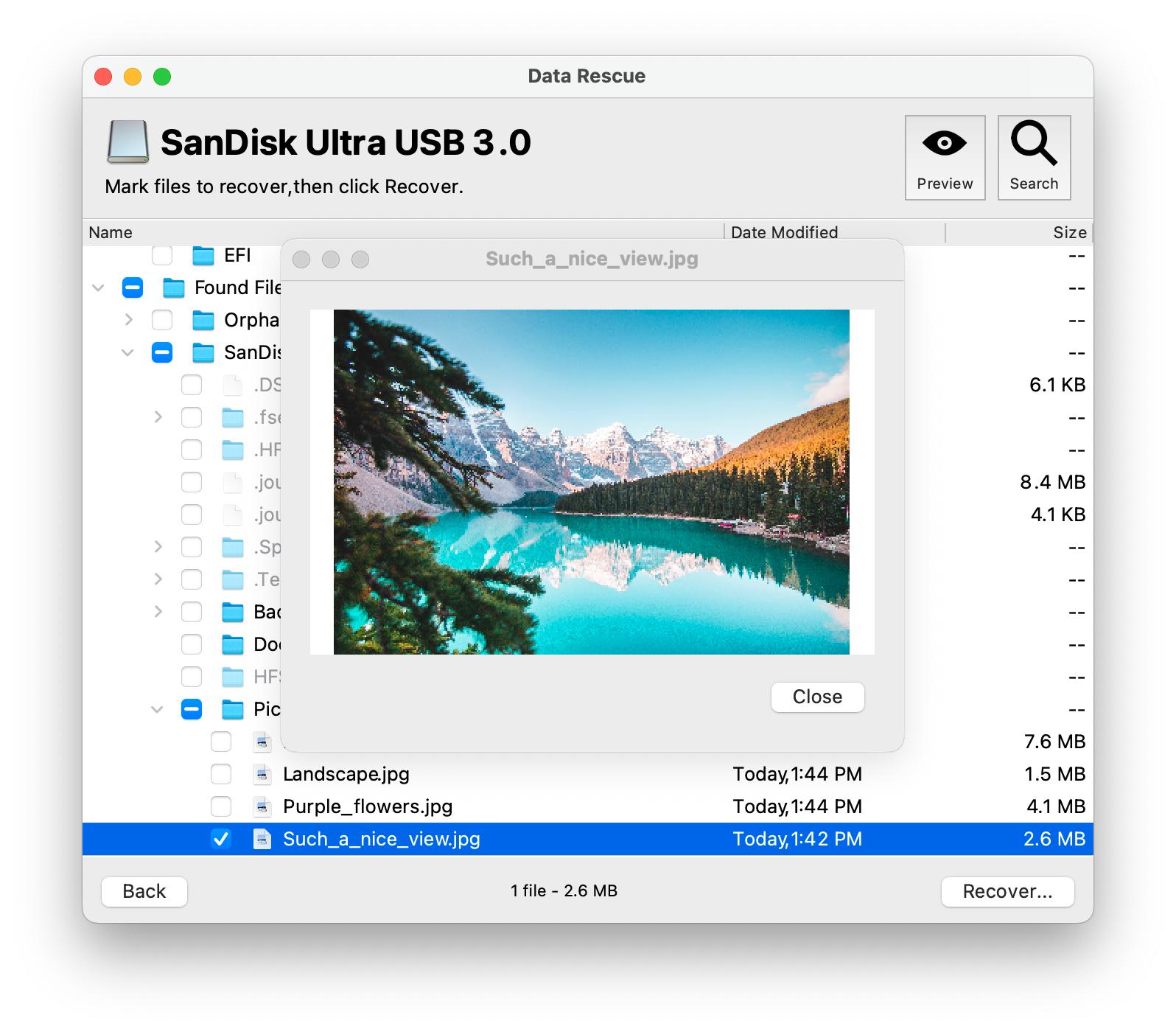
If you're in need of trustworthy Data Recovery software for your Mac to retrieve your deleted or lost data, you've come to the right place. Our software can effectively recover data that has been accidentally deleted, lost due to emptying the trash bin, or due to other deletion causes. With just a few simple steps, you can effortlessly recover your lost data. To get started, select and scan your drive, preview the lost files, and initiate the recovery process. Don't let data loss get you down – try our software today to retrieve your valuable data with ease!
License & Pricing
Data Recovery
Trial
Free
- Scan and Preview lost files
- Free Data recovery up to 1GB (New Users Only)
Standard
License
$79
- Unlimited Data Recovery for 30 days
- Unlimited Software Access
Professional
License
$399
per year
- Unlimited Data Recovery for one year
- Unlimited Software Access
Feature Highlights
- Retrieves lost files from Trash bin, HDD, SSD, SD Card, USB, Compact Flash and more
- Restore lost data due to formatting, System crash, drives no longer mount, accidental deletion, and more
- Free patches/upgrades while subscription is active
- Unlimited data recovery on all your Mac's and PC's
- One license for both Mac and Windows
- Works on all your internal and external drives
- Quick and Deep Scan
- Software Support
- Search and Preview
- Advanced Mode Features
Recoverable file formats:
- Documents: PDF, Word, Power Point, Excel, OpenOffice, Quicken, Quickbooks, AutoCAD, and more
- Audio: WAV, MP3, AIFF, AAC/M4A/M4P/M4B, Logic, Finale Project, Maya Session, ProTools Sessio, and more
- Images: WFM, GIMP, DPX, TIFF, PNG, GIF, Illustrator, EPS, RAW (CRW, CR2, NEF, DCR, ORF, DNG, MOS, SRF), and more
Click here for Full list of supported file formats
System Requirements
Running a PC? Click here to view Data Rescue for Windows.
Preview Your Recoverable Files with the Free Demo
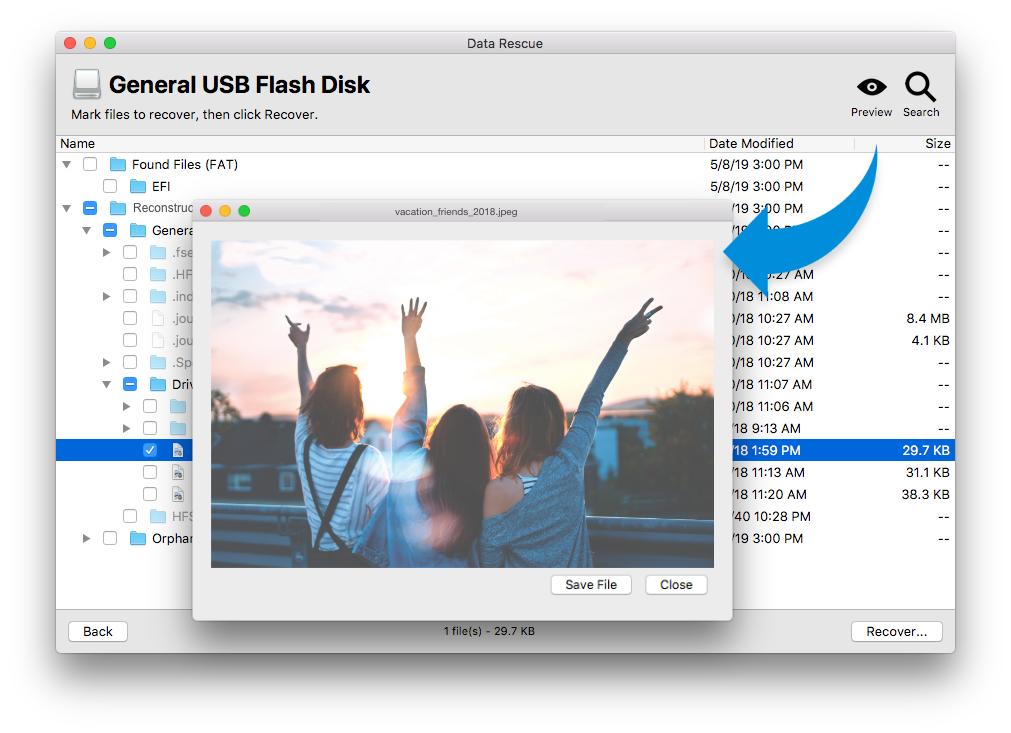
We encourage our users to try the demo version of Data Rescue: This will allow you to run a full scan as you would the paid version and preview your recoverable files.
Download Data Rescue DemoOnce a free demo scan has completed and the user is satisfied with the results shown, purchase options for the software will appear.
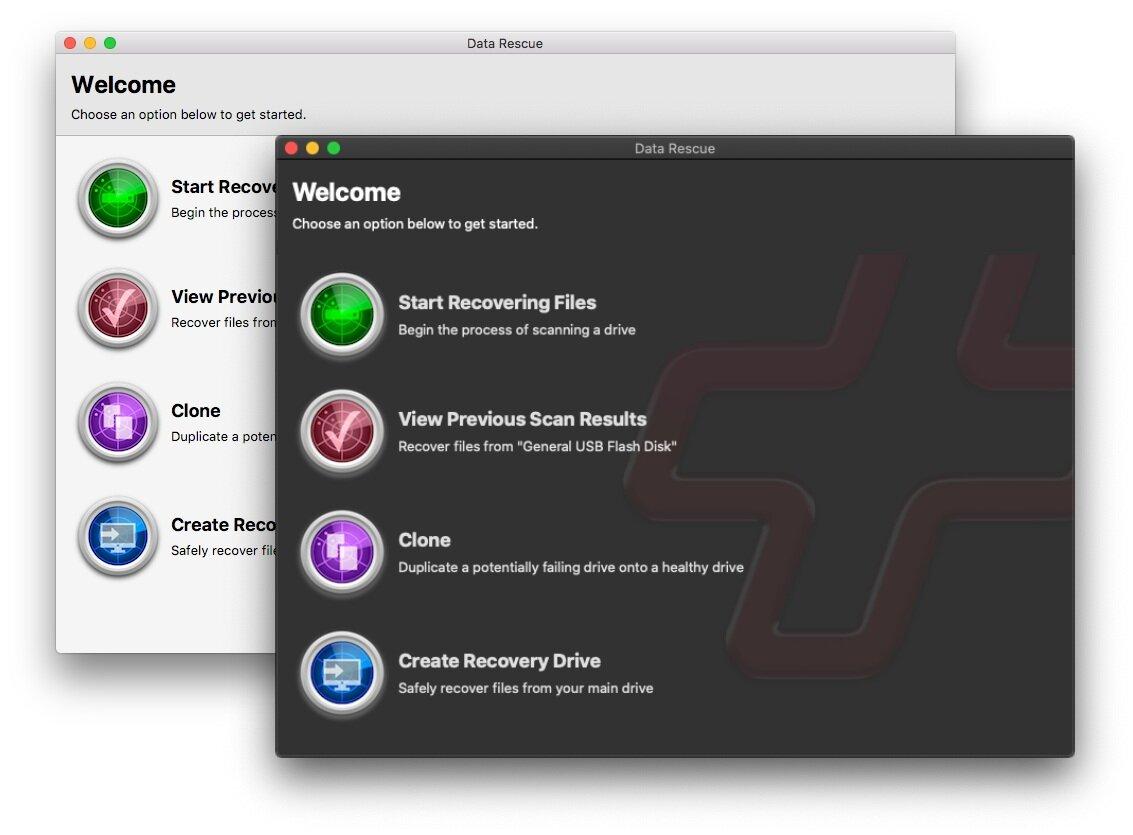
Start Recovering Files:
Begin recovery of your hard drive.
View Previous Scan Results:
If you have a completed scan, this will bring you to the scan results where you can locate files for recovery. Make sure you have the original drive that was being scanned connected to your computer (only the last scan will be saved).
Clone:
Create a clone if your hard drive appears to be having hardware problems or if the Quick and Deep scan are stating an excessive amount of time to scan.
Create a Recovery Drive:
Create a bootable disk to safely recover files from your main drive (also known as your startup disk).
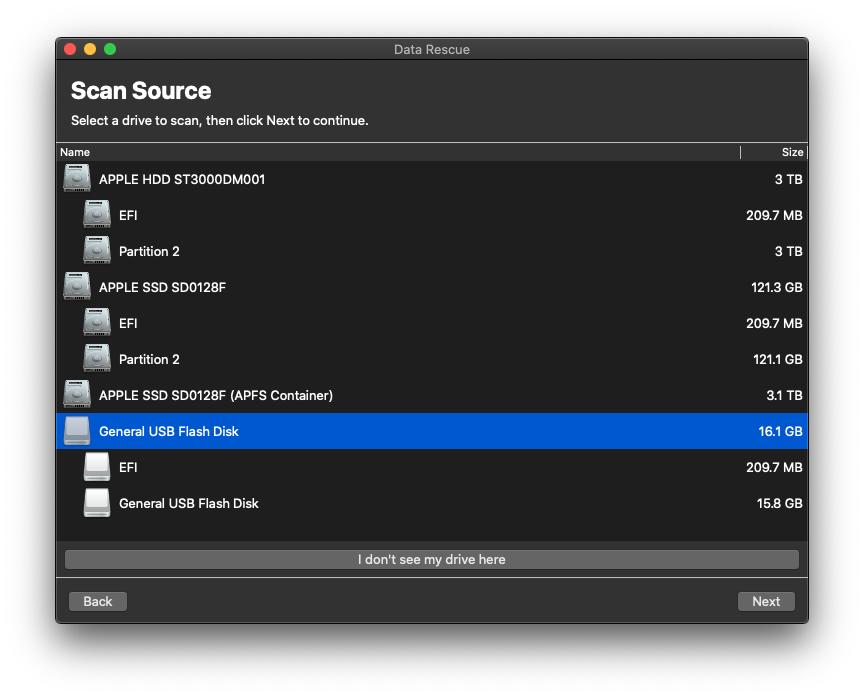
Scan Source:
Whether you accidentally deleted files from your startup drive or external storage (external hard drives, USB flash drives, or SD cards) select the device you need to recover from.
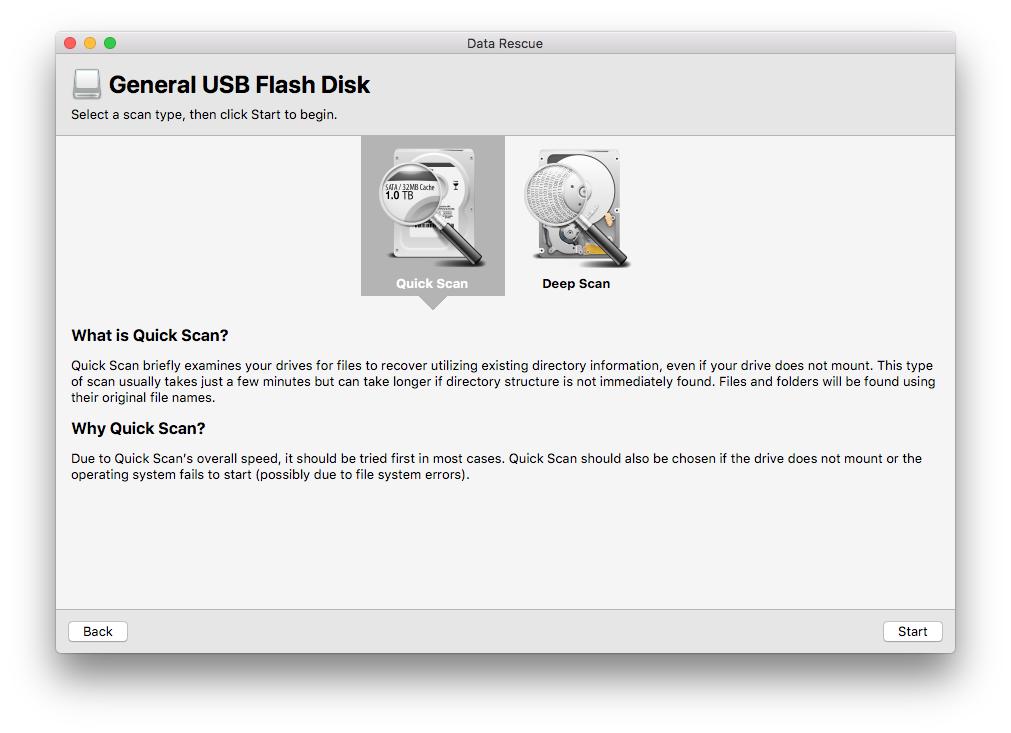
Quick Scan:
Select this scan type if your operating system fails to boot or your external drive fails to mount.
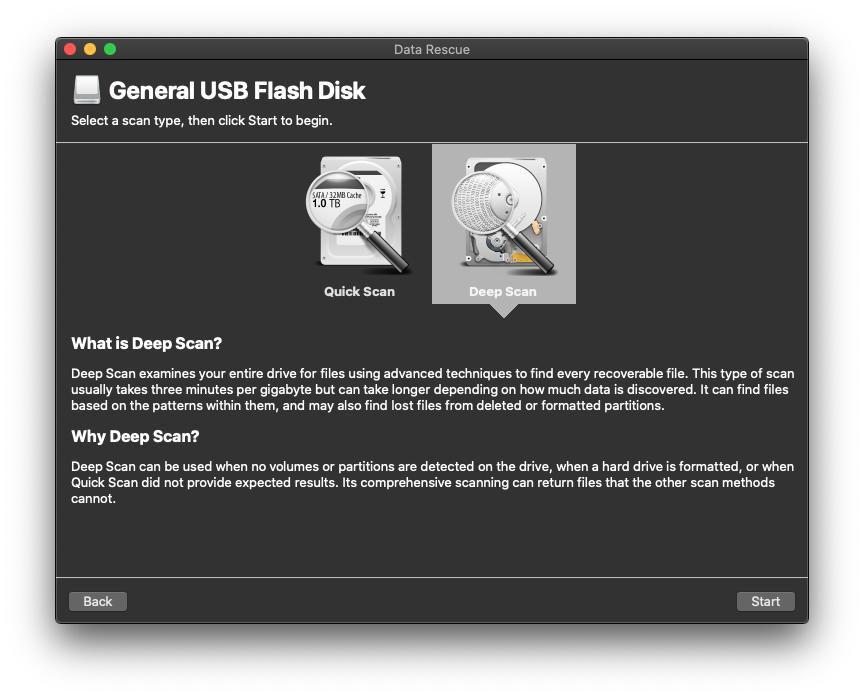
Deep Scan:
Select this scan type if you have accidentally emptied the trash of needed files or accidentally reformatted a drive.
Advanced Mode Features
View Hex:
Provides a read-only hex viewer for displaying raw drive and file data.
Secure Erase Tool:
Overwrite each sector with the given pattern, or a random pattern. Patterns can be entered as a hex value or numbers and letters.
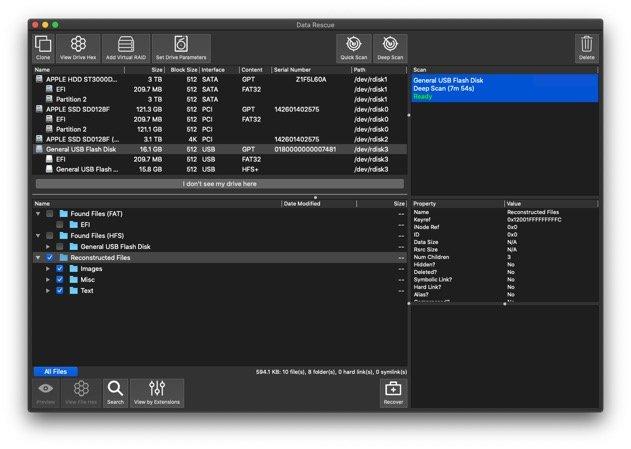
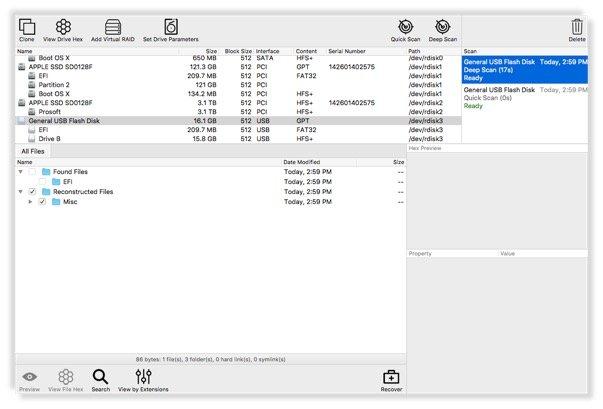
Scan Management:
Allows you to control and store up to 15 scans at a time. You will be able to Export, Import, or Delete scans.
Set Drive Parameters:
A feature that allows you to specify a starting and ending location before scanning.
Virtual RAID Support (RAID 0, JBOD):
Allows you to simulate a physical RAID configuration. This is helpful in case a RAID configuration fails to mount or be recognized as a single volume.
Number Sectors Tool:
This simple tool assists with guessing the order of drives in RAID-like devices. Each sector of the drive that is seen by the operating system will have its sector data be the number for that sector.
Allocation Blocks Layout:
Can be used after a Deep scan if the files listed by the Found Files results are not opening properly after recovery. If none of the files open when they are first recovered, selecting this feature will provide you with additional options which may correct the way the files are found.
Canceling a Scan:
End Early option is present for Deep Scans in Advanced Mode selecting the End Early option will force Data Rescue to end its current scan and provide results up to that point of the scan. This is a helpful option if you are having difficulties scanning a drive due to bad blocks or slow reads.
Reviews
Techradar: When it comes to hard drive data recovery, Data Rescue is a feature-rich program, with a good track-record for recovering files lost through deletion, reformatting, or drive corruption. Users will find the process relatively straight-forward, and power users will love the advanced filters and search features.
Comparitech: Data Rescue is, put simply, one of the best data recovery software suites on the market today. In my mind, the only real problem is they seem to know that... That said, if you’re able to work within the parameters of what the Standard license offers (which is still plenty more than what you get with most options), for our money and yours Data Rescue is the data recovery software to get.
EaseUS: Data Rescue 6 only allows you to preview the files while other recovery software lets you trial their retrieval features to a specific threshold. Lastly, it features an elementary UI, making it hassle-free to navigate and use. In a nutshell, Data Rescue 6 is the best tool for the fastest data recovery.
PCmag: Data Rescue is one of the top data recovery utilities that I tested... When it comes to recovering lost or deleted files, Prosoft continues to offer one of the most effective data recovery utilities on the market.
Datarescuetools: I recommend Prosoft Data Rescue to anyone who has inadvertently lost important information on their Mac or PC. I can’t tell you in advance how much it will cost, but once you have located your lost files you’ll be given a price to recover them. The app is straightforward and easy to use, and certainly worth a try.
Recovering from your startup drive?
A secondary startup drive (USB 3.0 with at least 32GB of memory) will be needed to scan your internal hard drive if you are running macOS 10.13+ or if your computer is not booting – you can create one using the Recovery Drive feature within Data Rescue. Click here to view how to create one.
Frequently Asked Questions
How does this recovery work?
We recommend all users to first download our demo of Data Rescue and run a scan on the problem drive. The demo will allow the user to preview the contents of the files found before making a purchase if the files are not previewable within the demo. The users will have to decide if they want to purchase the software. Note: All sales are final!
If you are happy with the results, you will select the files that you want and click on "Recover...". You will log into the software once a purchase is made and select the destination drive. Note that the destination drive cannot be the same as your source drive.
Can I recover files that I accidentally deleted, or from a reformatted hard drive?
Yes, recovery is possible in these cases however typically the original filenames and folder structure will not be recoverable. This data, as well as data lost from reformatting can be found in the ‘Reconstructed Files’ folder in the results of a Deep Scan where it will be organized by file type.
Can I recover a folder with a 1 file recovery license?
A one-file recovery can only recover a single file. Meaning you can recover a single document, picture, excel sheet, etc.
Recovering a folder means you would be selecting every single file within the selected folder. If you have over 100 files selected a 1 drive recovery license would be recommended.
Can find my activation code?
If you have already made a purchase of Data Rescue 6 you will only need to enter your email into the main login window. Under where it states "Please enter the email address you used when purchasing Data Rescue". Once you enter your email you will be sent a verification code that allows you to use your software recovery license.
Guide on installing and activating Data Rescue 6
What is the refund policy?
We have a strict no-refund policy as stated in our Terms of Sale. This is why our demo is recommended before purchasing. The demo will allow you to preview the contents of the files found to ensure that they are not damaged and are in a complete state.
I can’t scan my internal drive?
As of macOS 10.13 High Sierra, Data Rescue no longer has access to the startup drive due to Apple's System Integrity Protection feature.
To scan or clone your startup drive will need to do one of the following options:
- Data Rescue provides the ability to create a bootable recovery drive. To utilize this feature, you will need a 32GB or greater drive and follow the steps provided under "Create a Recovery Drive". Note: all data on the destination drive will be erased.
- If the recovery drive is not booting on your system you will need to create a bootable external hard drive using the macOS installer and selecting an external hard drive as the destination drive. Note: all data on the destination drive will be erased as well.
What is a Recovery Drive?
A Recovery Drive is a special startup drive that can be created through the Data Rescue software on your own device. This will allow you to recover from a non-booting internal drive, or a boot drive on macOS 10.13 and later.
What is a Clone?
The purpose of the Data Rescue cloning function is to copy the raw data of a drive or volume to another drive or volume, so that the copy may be scanned and recovered from, reducing the wear-and-tear on the original hard drive.
Why doesn’t my drive or volume show up?
If you have attached a drive with a damaged volume since you started Data Rescue, Data Rescue may not automatically notice it. Try the File > Refresh Drives List menu item. It could be possible that your drive is malfunctioning to the point where your computer is not able to talk to it at all, in which case even the device name will not appear. In this case, no software will be able to scan your device, and you will need the drive evaluated by a data recovery service provider.